TTY-Rogue
TTY-Rogue
What is this?
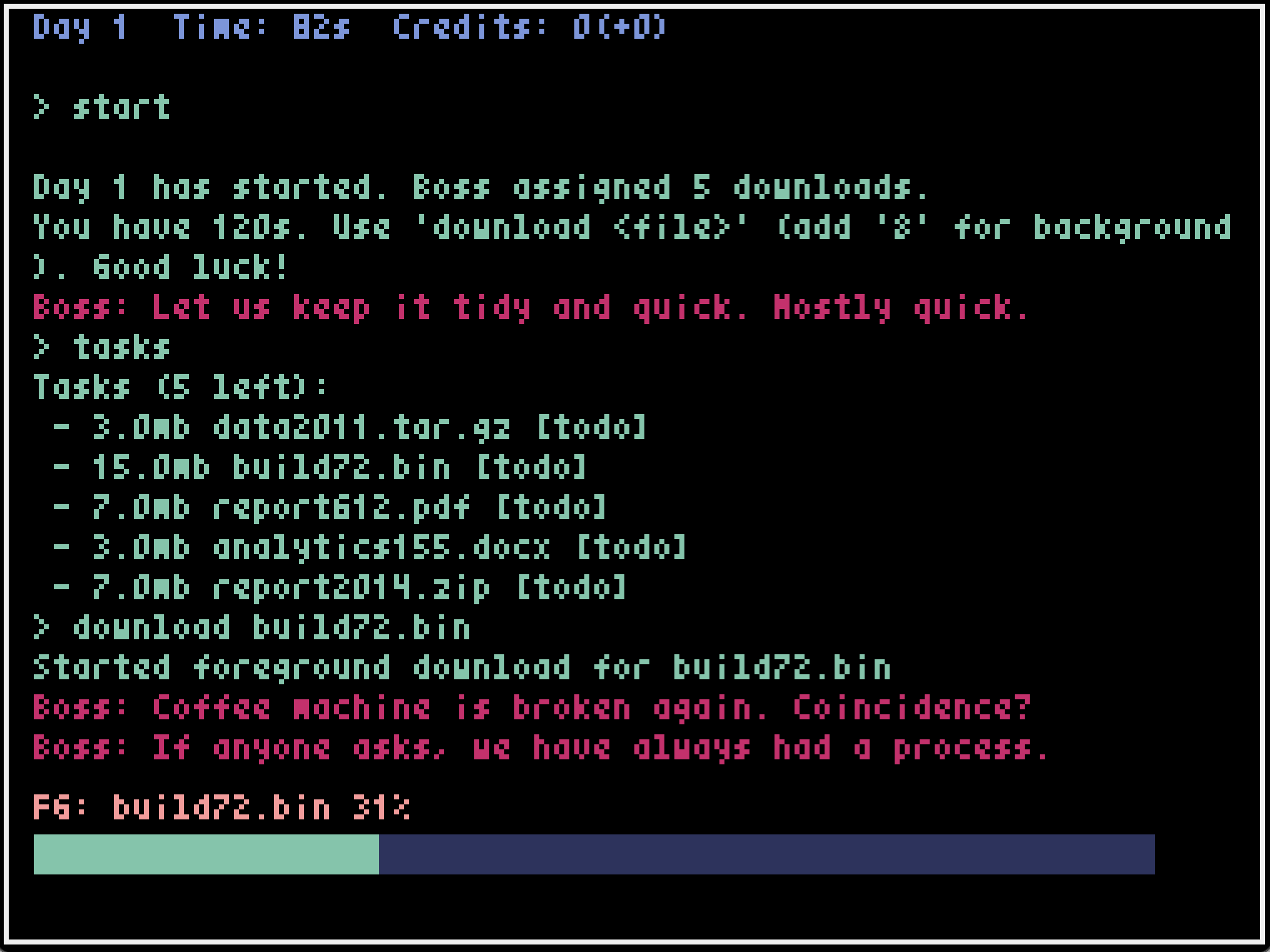
You work in a tiny, grumpy terminal. Each day your boss dumps a fresh batch of files on you. Start downloads, juggle foreground/background jobs, and beat the clock. When the buzzer hits, you get paid for whatever finished, then you can invest in upgrades before starting the next day. Do well enough and you’ll get “promoted” — more pay per task… and more tasks to suffer through.
Core loop
- Start of day: New tasks arrive with a countdown timer.
- During the day: Use commands to download files. Foreground jobs lock the prompt; background jobs need RAM slots.
- End of day: Running jobs are aborted. You get credits for completed jobs. Shop phase opens for upgrades.
- Start the next day: Spend credits, then type start to jump back in. Repeat and climb the ranks.
Features
- Day-based timer with shop phase and payouts.
- Procedurally assembled task names like report2021.zip, snapshot007.tar.gz, image042.png.
- Promotions for clearing all tasks in a day: higher rewards, more assignments next day.
- Upgrades that matter:
- nic, ram — speed and parallelism.
- history — recalls previous commands with Up/Down; capacity grows with each level.
- autocomplete — Tab completes commands or filenames if there’s exactly one match (one-time upgrade).
- Rich terminal commands: download, jobs, kill, tasks, stats, upgrade, start, end, help.
- Audio feedback: a calm “ok” blip on success, a pleasing pling when a download completes, and a stern buzz on errors.
- Occasional red “Boss:” messages ranging from awkward smalltalk to “where are my files?” pressure, plus end‑of‑day performance feedback.
How to play
1. Start a day
- Type start to begin the workday.
2. Do work
- tasks — see what needs downloading.
- download — runs a foreground job.
- download & — starts a background job (needs RAM slots from the ram upgrade).
- jobs — list running jobs and progress.
- kill — kill a background job.
3. Shop phase
- When time runs out (or you type end), the day ends. You’re paid for completed jobs.
- upgrade — list upgrades and costs, or buy one with upgrade .
- start — begin the next day when ready.
Useful commands (quick reference)
- help — show all commands and tips.
- stats — show NIC/RAM levels, credits, time left, tasks, promotions.
- end — finish the current day immediately.
Upgrades (overview)
- nic — increases raw download speed.
- ram — enables and expands background job slots.
- history (expensive; multiple levels) — enables command history; each level adds +1 entry capacity.
- autocomplete (expensive; one-time) — press Tab to complete the current token only when there’s a single unambiguous match across commands and active task filenames.
- Note: upgrade costs scale with level.
Controls
- Keyboard only.
- Type commands directly in the terminal.
- Enter to submit, Backspace to edit.
- Up/Down to navigate command history (after buying history).
- Tab to autocomplete (after buying autocomplete; works only on unique matches).
Comments
Log in with itch.io to leave a comment.
Ok, at first: I dig the idea… but then:
Maybe the first day could be a bit more show: all commands step by step - you know a bit better tutorial :)
Then again, the game is just about typing ;/ Mhmmm and later pressing tab. I don’t know, for me it just not fun.
(But the technical approach of screen, command line, visuals, progress bars, boss stupid lines, autocomplete and so on - awesome! Props for that!)